Real notation, not tab-style grids
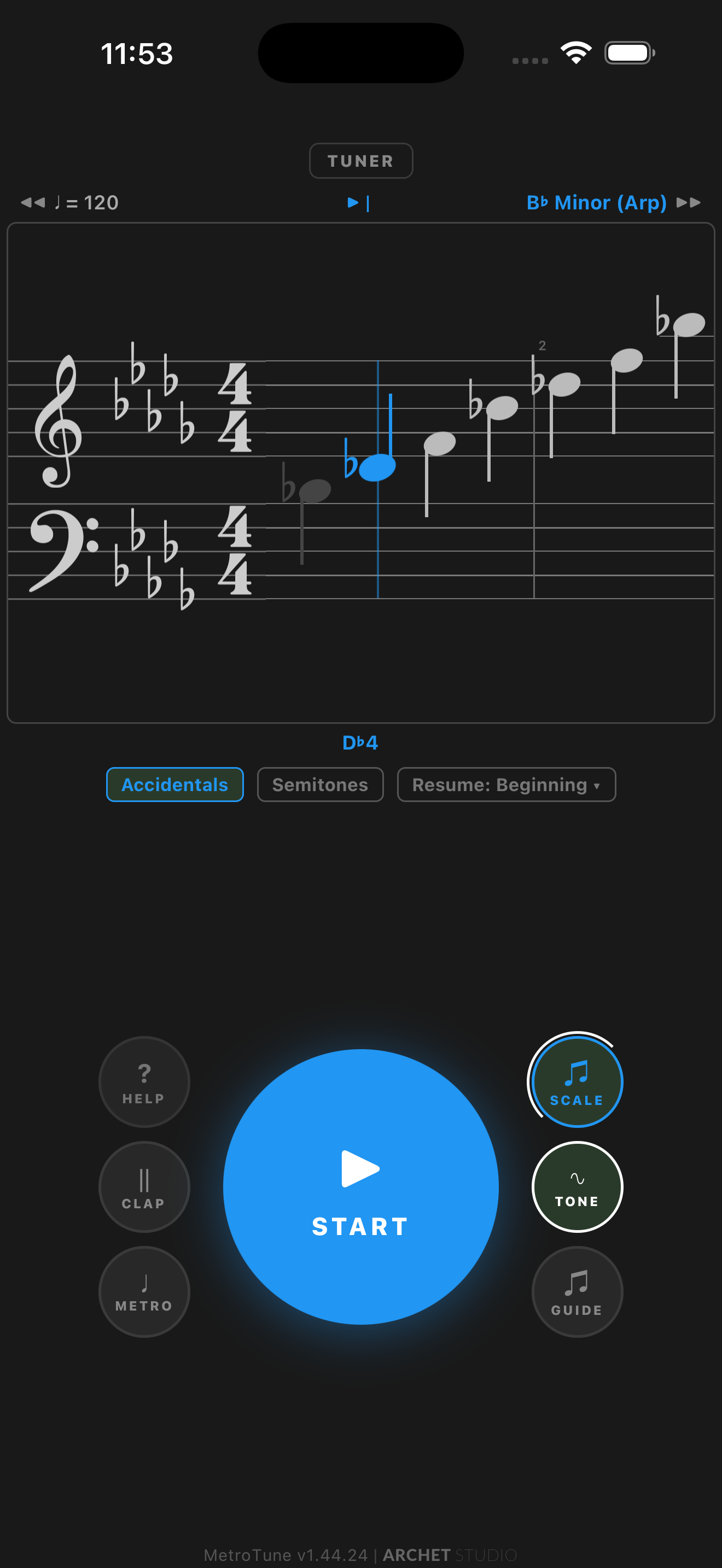
Score View renders a real staff with clefs, key signatures, ledger lines, and accidentals — so practice feels like reading music, not configuring an app.
Metronome, tuner, and scale practice on one screen.
Real notation, live pitch detection, and a click track working together — so you can build timing and intonation in the same practice loop. Free core tools. No account required.


Free core tools stay usable without an account. Optional Premium adds extra practice tools, by monthly or annual subscription or a 24-hour reward video.
What’s new & improved in v1.48 · September 2026
Already have MetroTune? Update on the App Store or Google Play to get everything new.
Score View renders a real staff with clefs, key signatures, ledger lines, and accidentals — so practice feels like reading music, not configuring an app.
Read your written notes on a B♭ clarinet, E♭ alto sax, F horn, or A clarinet — tap-to-play and Scale Practice automatically sound concert pitch.
Echo Mode turns the tuner into a call-and-response ear trainer. No separate app to download.
Give individual beats and subdivision notes their own sound profile — or mute them outright. Long-press a note to edit it, with clear indicators for custom and muted notes, and the BPM stays put while you shape the pattern.
Beethoven’s 9th, Mvt. 4 ships as a seed profile — six entries with shifting BPMs and meters — so new users see what a real tempo map looks like.
Score View
Switch to Score View and the staff appears: clefs, key signature, ledger lines, accidentals, rests — the closest thing to opening a method book inside the app. Notes light up as the metronome plays them, so you read and keep time at the same time.
“I specifically wanted a way to check my pitch while working at varying tempos — ensuring my intonation stayed rock-solid as I increased speed.”
A Day With MetroTune
Ten steps through a real practice session. No setup. No account. No permissions wall.
Tap START and a click plays at 120 BPM in 4/4. Everything else is one tap away from this screen. No account, no permissions wall.
Pick a subdivision shape — quarters, duplets, triplets, sixteenths — then long-press any beat or subdivision note to give it its own sound or mute it. Shape a groove no preset ships with, in seconds, while the BPM stays put.
Add scales to the queue in any key. Set count-in beats, loop count, gap between scales. Save the queue as a profile and reload it tomorrow.
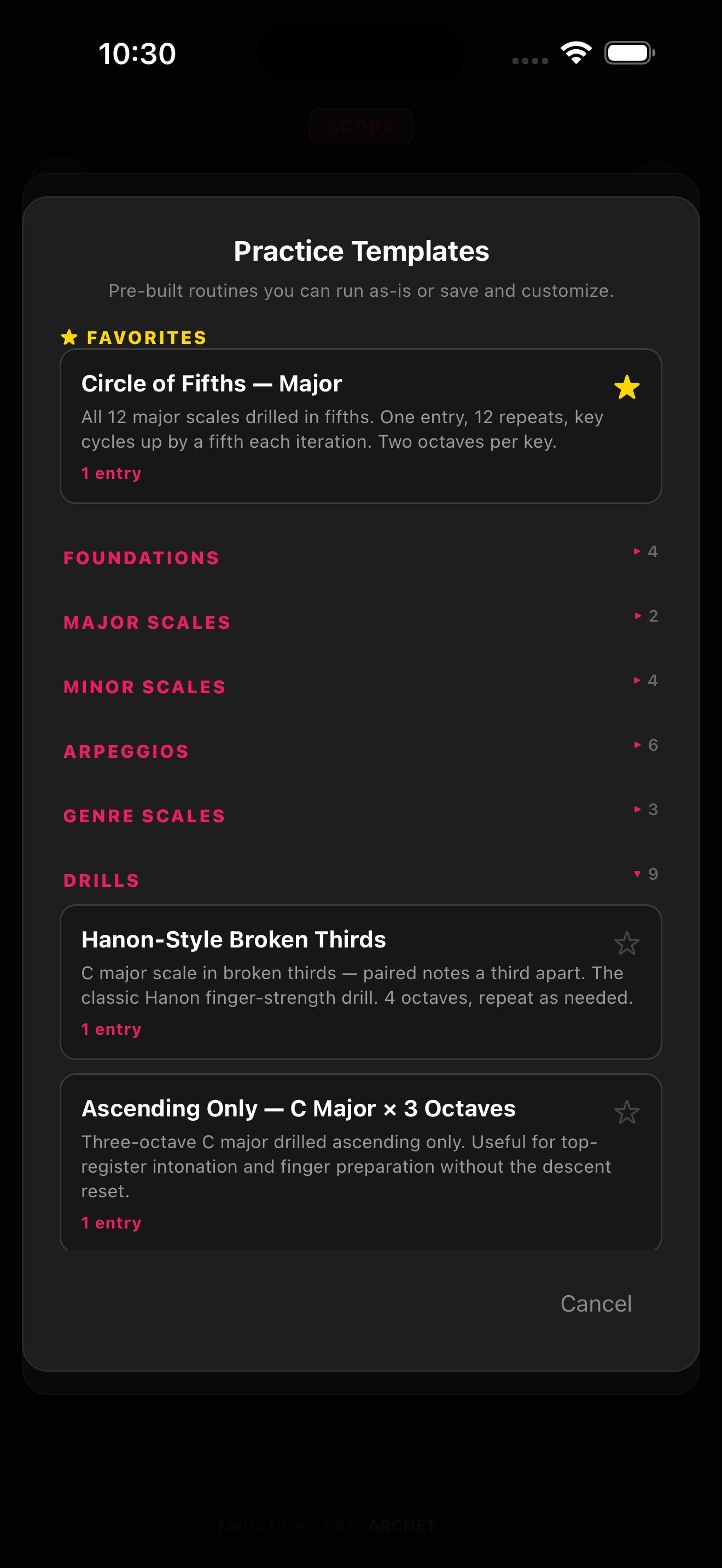
Six categories: Foundations, Major Scales, Minor Scales, Arpeggios, Genre Scales, Drills. Tap any template to load it as a starting point, then customize.
Echo Mode plays a note, then listens. Match it within tolerance and the next note plays. Miss it and the app re-prompts with the attempt counter. Real ear training, no extra app.
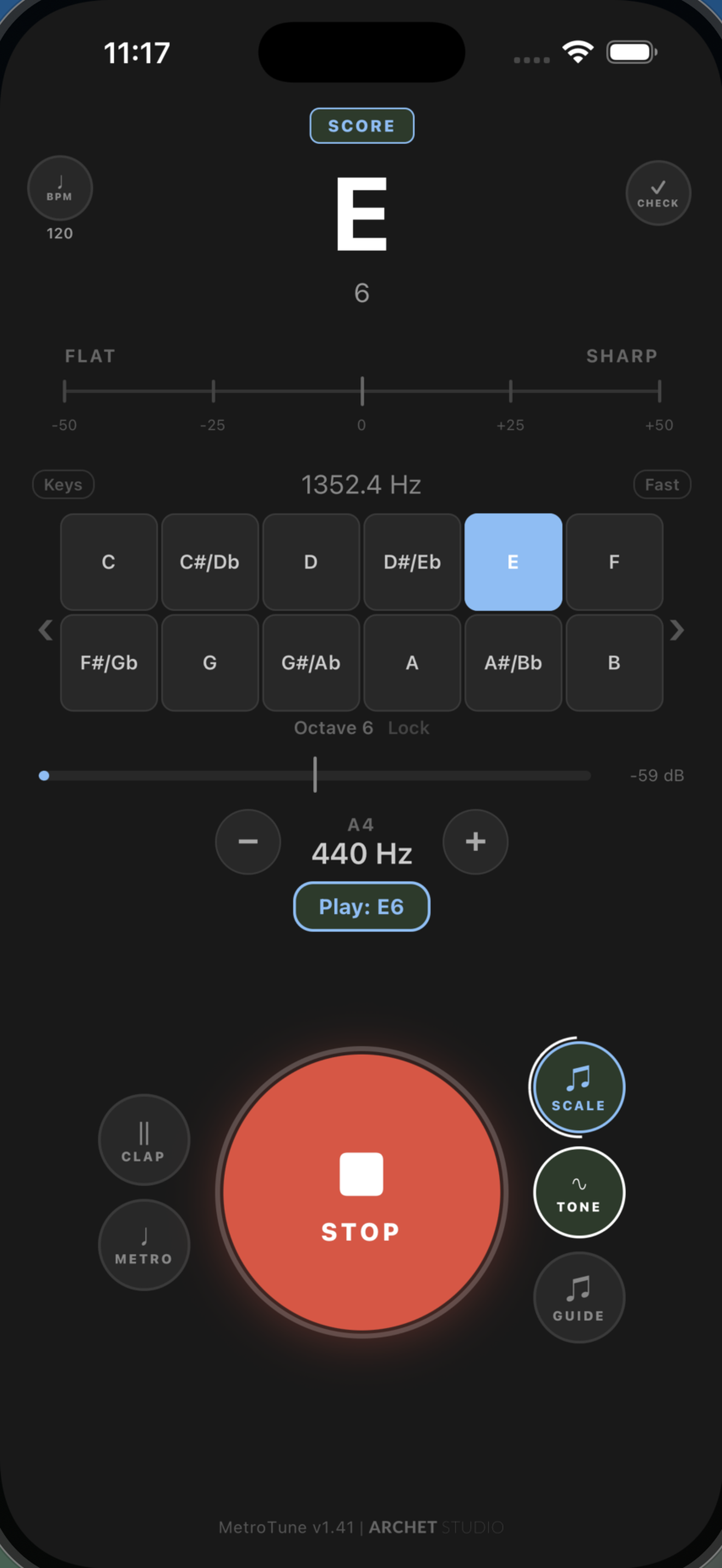
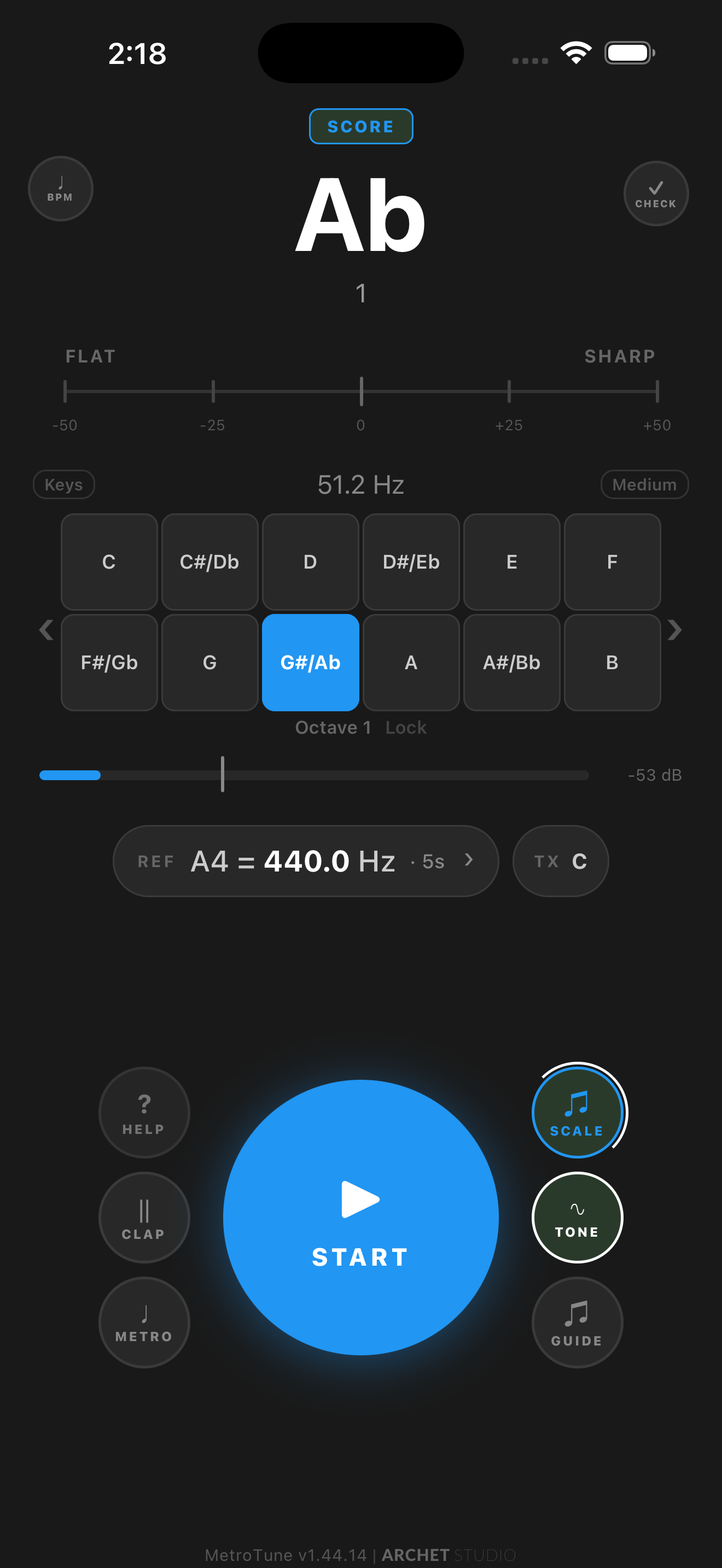
Transpose the tuner for B♭, E♭, F, A, or ±octave instruments — clarinets, trumpets, saxes, French horns, piccolos, basses. The score stays in your written key, tap-to-play and Scale Practice automatically sound concert pitch, and a TX pill on the reference row shows the active transposition at a glance.
Five lifelike instrument voices — Tone, Clarinet, Brass, Organ, Bell — each with the correct overtone series and instrument character (bell hum, brass breath, Hammond drawbars). Set A4 anywhere from 392 to 470 Hz with one-tap presets for baroque (415), 430, 432, 440, 442, 444. Choose how long a tapped note plays: 1 to 10 seconds, or hold forever. The note name brightens and glows the moment you land on the pitch, with adjustable range, glow, and color — and the reference tone can optionally sound a perfect fifth above the note, for hearing intervals while you tune.
New in the Tuner
Equal, Just & Pythagorean temperaments — in any key.
Equal, Just, and Pythagorean temperaments in any major or minor key, with note names spelled to match the selected key.
New in the Tuner · Experimental
Pitch Replay: hear your take, then hear it corrected.
Record a phrase, then play back your Original take and a Pitch Corrected version with a live tuner view and a deviation timeline. Recording, full replay, and one saved recording are free for everyone; Premium adds more saved recordings and per-note Original/Corrected comparison. Recordings stay on your device.
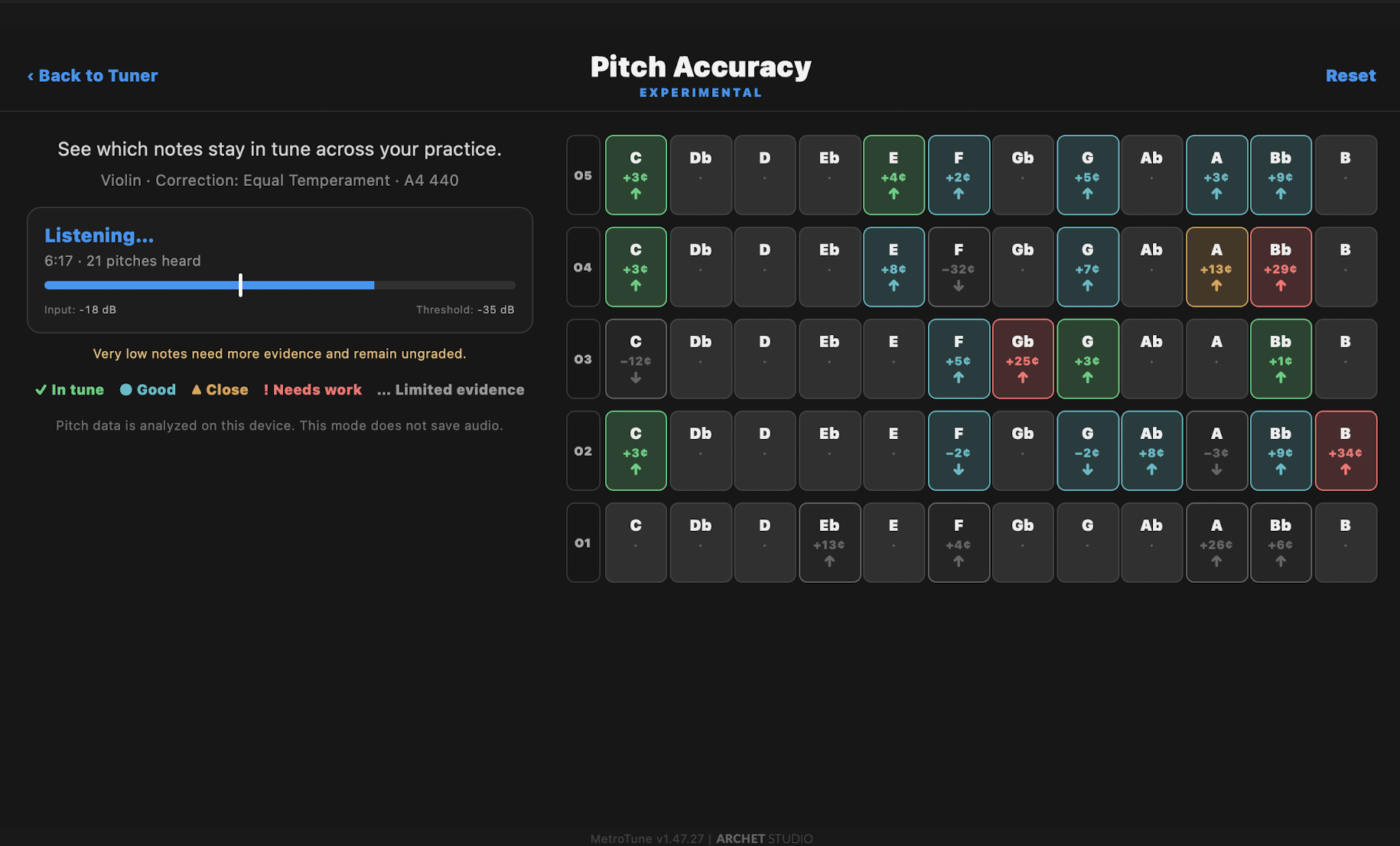
Pitch Accuracy listens as you play and groups every detected note by octave, color-coded by average tuning: in tune, good, close, or needs work. Watch it live from the Tuner, or open a saved Pitch Replay take and adjust the time range to focus on any section. Pitch data is analyzed on your device, and this mode does not save audio.
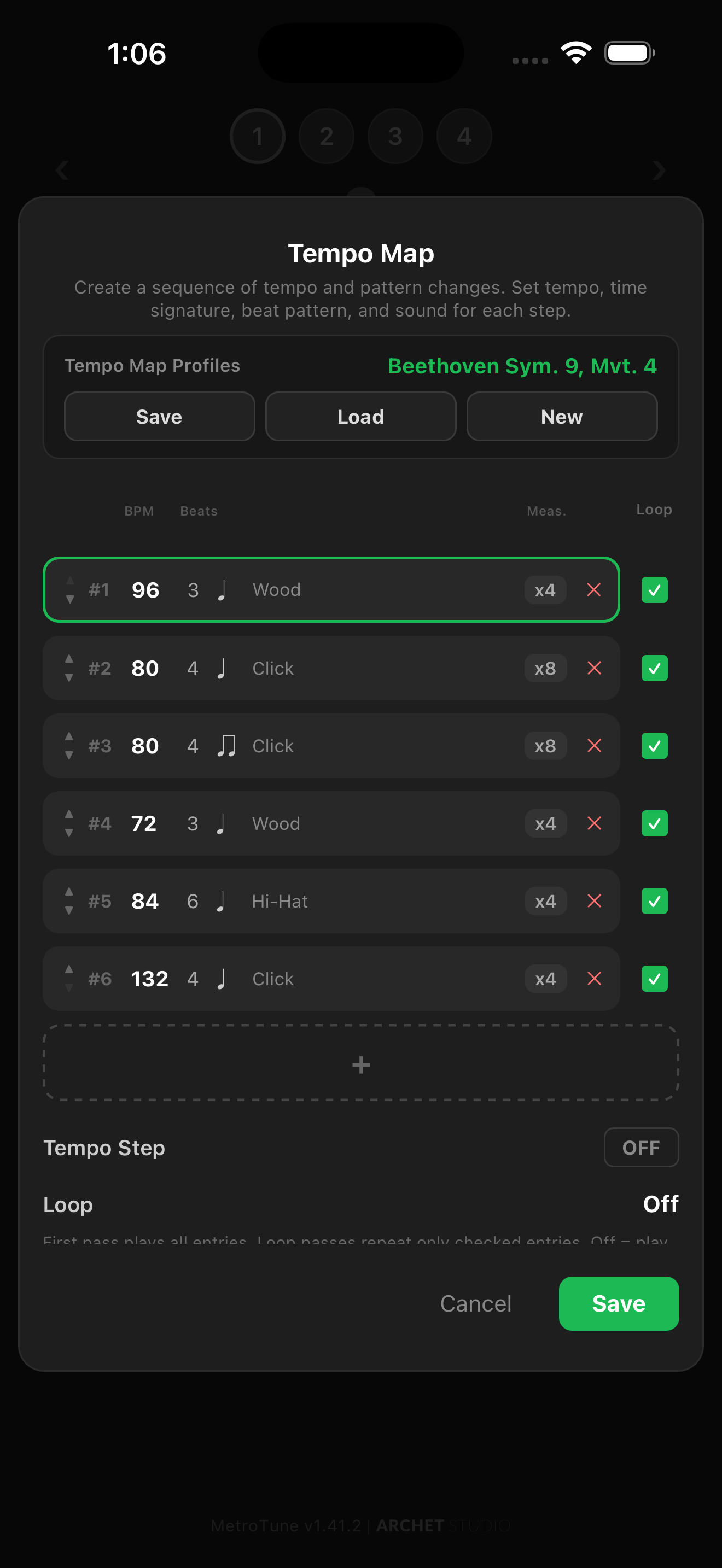
Multi-entry sequencer with per-step tempo, meter, beat pattern, sound, accents, and measures. The 4th movement of Beethoven’s 9th ships as a seed profile — six entries across shifting BPMs and meters — so you can see how a real piece lays out before building your own.
Six base themes plus six pastel variants. Long-press the play button to swap. Pick the language that fits your daily life.
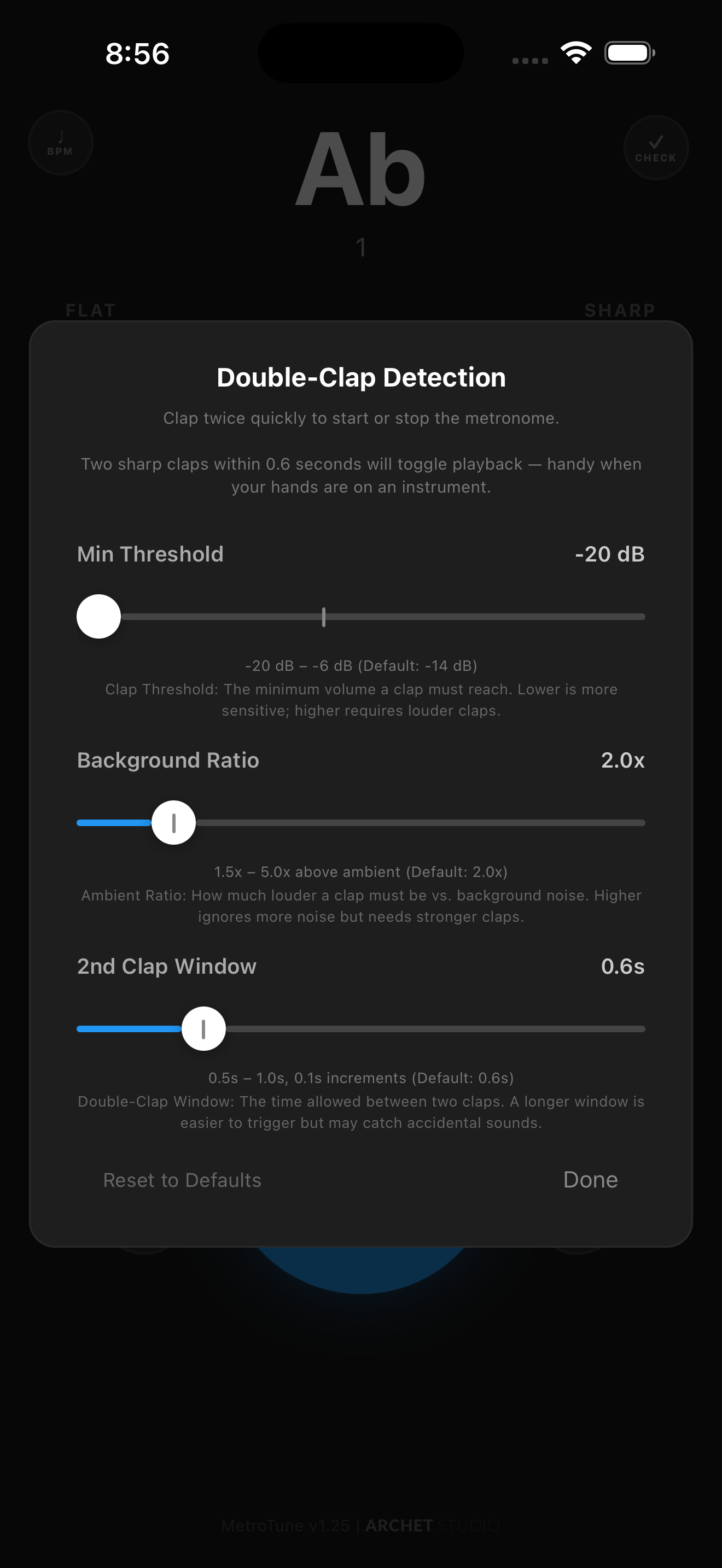
The microphone listens for two sharp claps in quick succession and toggles playback. Use it when your hands are full — bow, sticks, keys.
MetroTune is a metronome, a chromatic tuner, and a scale trainer that share the same engine, sounds, themes, and settings.
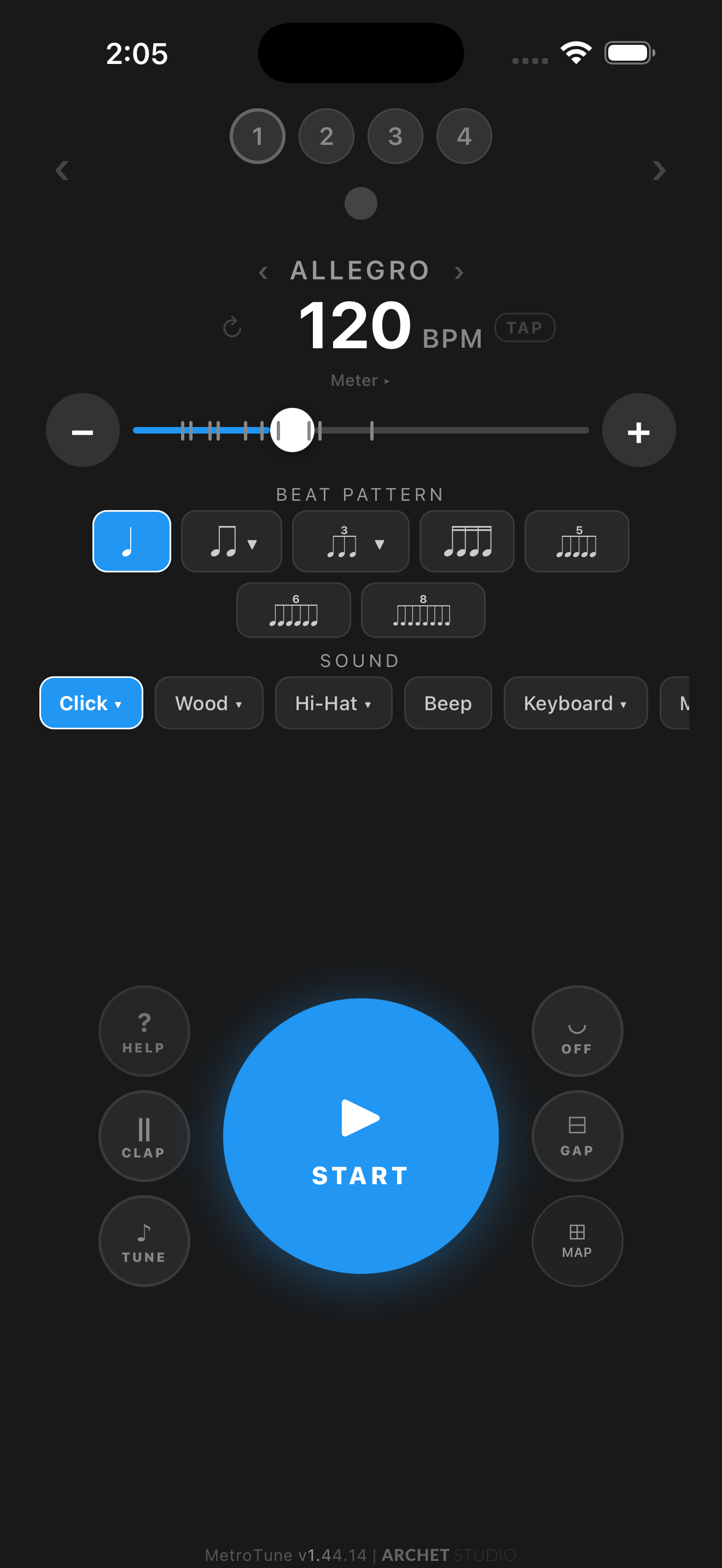
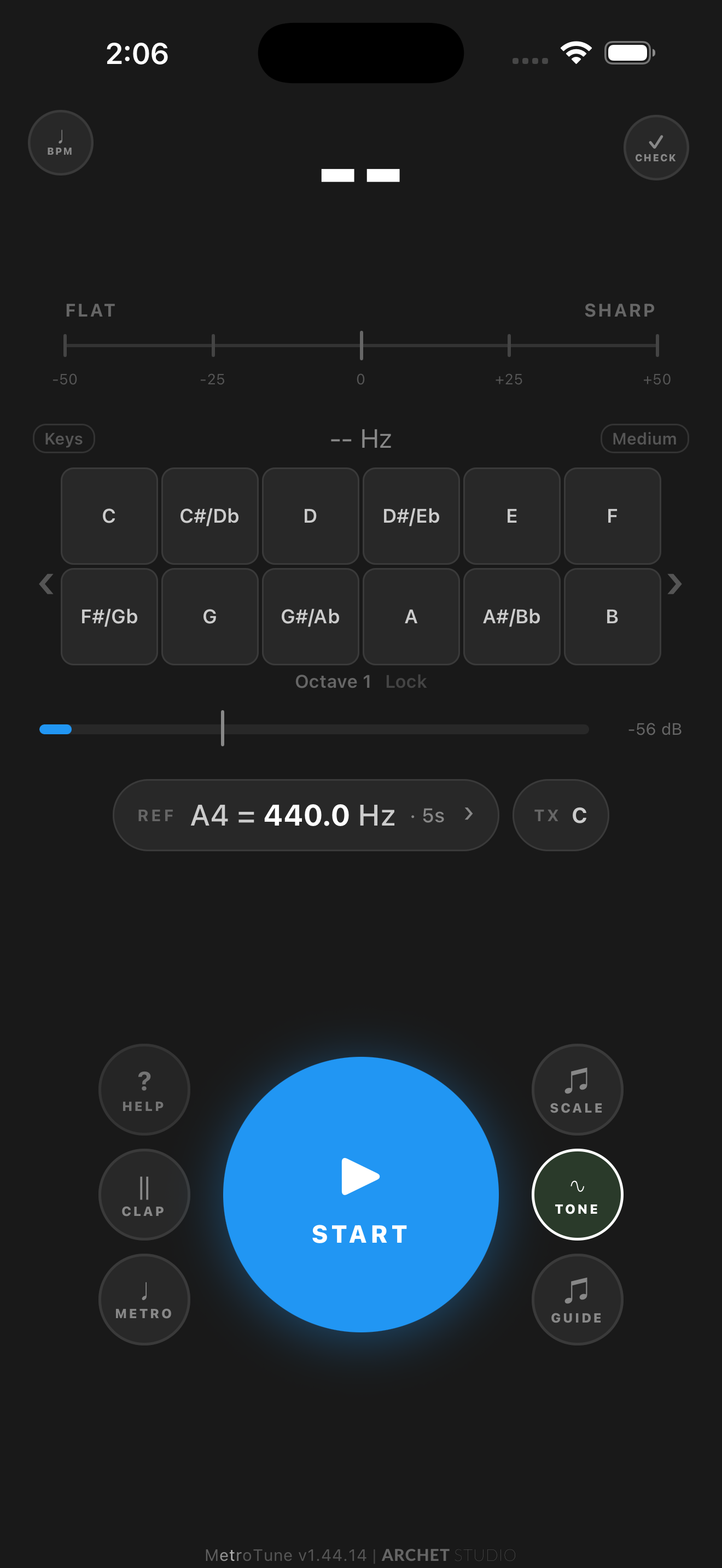
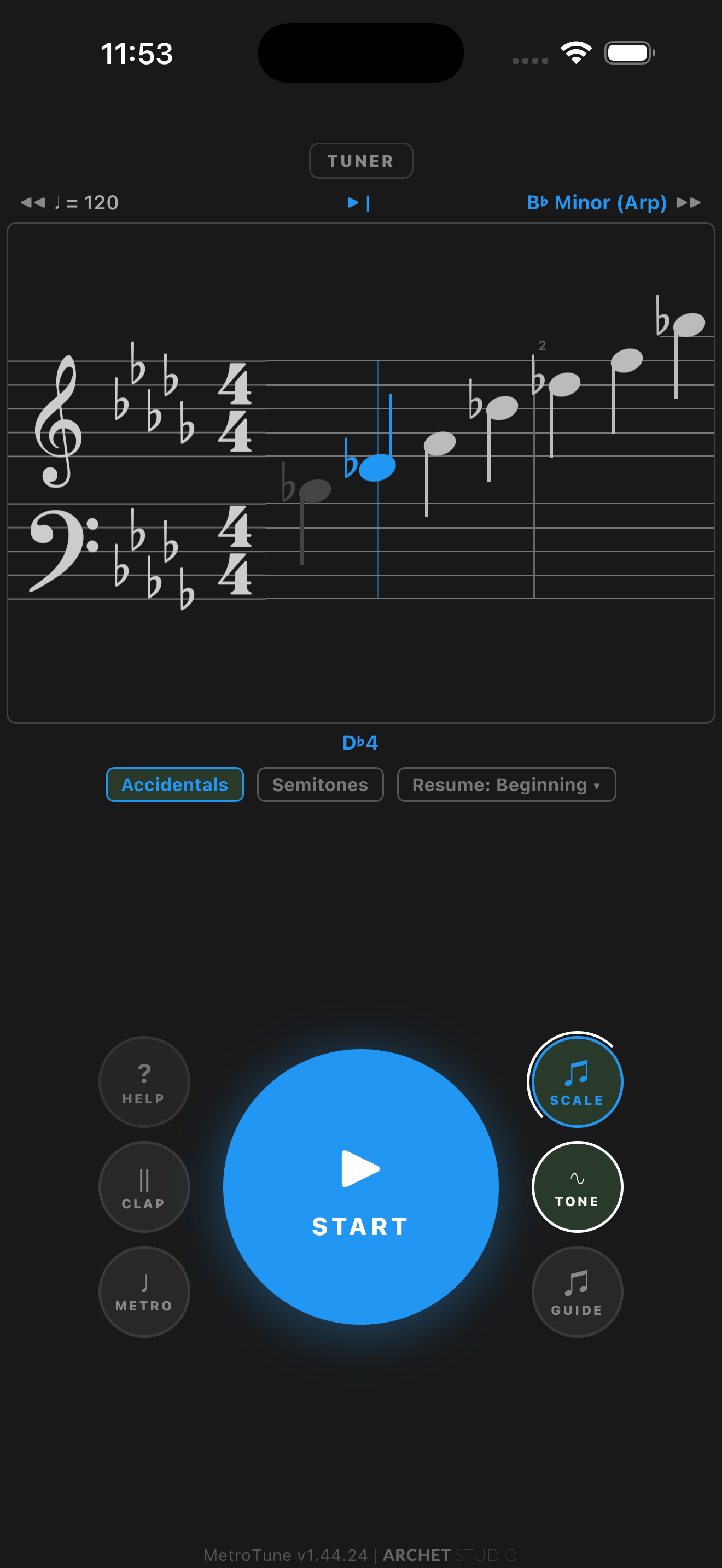
The metronome, tuner, Pitch Accuracy, and core Pitch Replay stay free — no account, no sign-up. Premium adds Scale and Score practice, more saved Pitch Replay recordings, and other practice options. Subscribe monthly or annually to keep Premium active and banner ads hidden, or watch an available rewarded video for 24 hours of Premium. Either way, the core practice tools above keep working.
We’re actively building. If you have a feature idea, improvement, or something you wish your metronome could do, we’d love to hear it.
I built MetroTune because I wanted a more effective way to practice. I was tired of jumping between separate apps and frustrated by hitting paywalls on the essential tools I needed.
“I specifically wanted a way to check my pitch while working at varying tempos — ensuring my intonation stayed rock-solid as I increased speed.” I also needed a guide to help me master scale intonation, with a reliable reference for every note.
MetroTune is the result: a seamless 3-in-1 tool where the modules work together — on the Tuner page, the metronome ticks, pitch detection runs, and scale notes play in the same session. The essential tools work without an account or a paywall, and any premium extras stay optional. Built to help you master your craft, not manage your apps.
Yes, MetroTune is free to start. The metronome, chromatic tuner, Pitch Accuracy, and core Pitch Replay are free with ads, with no account and no sign-up. Premium adds Scale and Score practice, more saved Pitch Replay recordings, and other practice options. Choose an optional monthly or annual subscription to keep Premium active and banner ads hidden, or watch an available reward video for 24 hours of Premium access. Plans and prices are shown in the app.
Yes. MetroTune has a full chromatic tuner with real-time pitch detection, transpose for B♭/E♭/F/A and ±octave instruments, an adjustable A4 reference (392–470 Hz), Equal, Just, and Pythagorean temperaments in any key, instrument tuning presets for strings, fretted instruments, woodwinds, and brass, and a Pitch Checker mode for intonation practice. Experimental Pitch Replay and Pitch Accuracy tools let you record a phrase, hear it pitch-corrected, and see which notes stay in tune.
It’s three tools in one app — a metronome, a chromatic tuner, and a scale trainer — that share the same engine and settings. The scale trainer shows real music notation in Score View and includes Echo Mode ear training.
MetroTune is available for iPhone and iPad on the App Store and for Android phones and tablets on Google Play.
No account is required. The metronome, tuner, and practice tools work offline — an internet connection is used to show ads and to purchase, restore, or verify a Premium subscription.
Subscriptions are billed through your App Store or Google Play account and renew automatically until cancelled. Manage or cancel anytime in your Apple Account or Google Play subscription settings, or from Help → Manage subscription in MetroTune. On a new device, use Help → Restore purchases. No MetroTune account is required.
Free with ads on iOS and Android. Choose an optional monthly or annual Premium subscription, or watch an available reward video for 24 hours of Premium. No account required.
MetroTune v1.48 · Updated September 2026